How to play · Getting started
How to play a city builder in your browser
You don't need a console, a download or an account to build a city: a browser is enough. This guide shows how a browser city builder works in practice, from what your device needs to where your city is saved, using Cashmate, a free neon city tycoon, as the example. By the end you will have played its whole first chapter.
The short version: open the game's page in a current browser on a phone, tablet or computer and press Play. Nothing installs. Your city saves in that browser, so export a copy if you want to keep it safe or move it to another device.
What you need
- A current browser. Cashmate draws the city with WebGPU, or WebGL where WebGPU is not available, both built into today's browsers on phones, tablets and computers.
- Nothing to install, no account. No download, no sign-up, no e-mail. The game is free, with no ads and no payments.
- A connection to start. The game and its art load when you open it; after that, the city runs in your browser.
If the city stays blank, update the browser and check that hardware acceleration is switched on in its settings: browser games draw with your graphics chip.
Starting your first city
Open Cashmate's play page. A loading bar fills while the city's art arrives; meanwhile the people inside one building already go about their day. The first time, the game asks whether you also want to share play statistics: Play starts without them, Play & share statistics with them. Either way your city is the same, and you can change your mind in Settings.
Your city opens at 18:00 on day 1 with 4,000 coins and a free downtown of 10×10 tiles. A little street is already there with three Apartment Blocks, a Sushi Bar and a Fountain Park: 30 residents and your first shop. Everything around it is land for sale. Time runs at one city minute per real second, so a full day and night takes 24 minutes.
Controls on a computer
The toolbar at the bottom has five tools, each with a key: V Select, R Road, B Build, X Bulldozer and L Buy land.
- Draw a road: pick Road and drag across land you own. Tiles that cannot take road turn red with the reason.
- Place a building: pick Build, choose a card, and click a spot beside a road. The see-through ghost shows the price, or in red why it cannot go there.
- Move and zoom: drag with the right or middle button, hold Space and drag, or use Arrows / WASD; zoom with the wheel or + / −. H goes back to downtown.
- Undo and cancel: Ctrl / ⌘ + Z undoes your last action within 10 seconds, every coin back. Esc cancels, then leaves the tool.
- Music and help: M turns the music on or off, ? opens the help.
Controls on a phone or tablet
- Tap a building to open its panel, or a plot for sale to see its price.
- Drag with one finger to move the map, pinch to zoom, double-tap to centre. With the Road tool or the Bulldozer, one finger draws, so move the map with two.
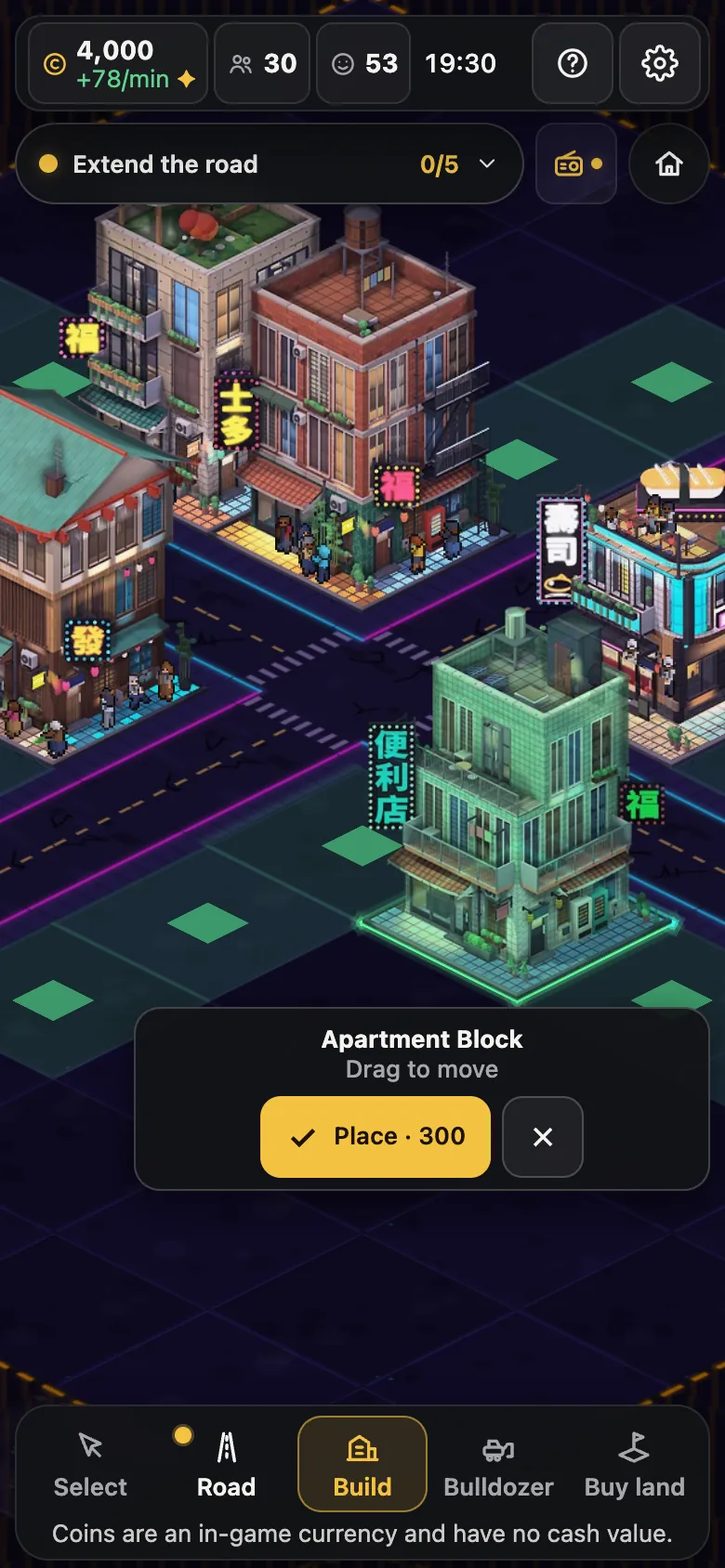
- Placing takes two steps, so a slip of the thumb never costs coins: the first tap puts a ghost of the building down, which you can drag into place, then ✓ builds and pays, or ✕ cancels.
- Press and hold a card in the build menu to see its details.
Your first chapter, step by step
The goal card (top left on a computer, a pill under the top bar on a phone) teaches the basics. Each goal shows its reward up front; press Collect when it is done:
- Extend the road. Pick Road and drag from the crossroads into your empty land. +80
- Build a home. Build → Apartment Block, next to a road. +300
- Build an Arcade. Build → Arcade next to a road, near homes. Your town already has food. +360
- Check your Arcade’s price. Open the Arcade and keep it at its best price (tap Use best price if it moved). +110
- Place a park next to homes. Build → Fountain Park within 3 tiles of homes: happier homes buy more. +200
Collect all 5 goals and the chapter bonus adds +230.
That is 1,280 coins in all, about what the chapter's purchases cost. It is the first of 15 written chapters that lead to a capital, and generated chapters keep coming after that. The beginner tips explain what to build next and why.
Where your city is saved
A browser game without an account saves in the browser itself. Cashmate saves your city every 10 seconds and whenever you leave the page, and it keeps running for up to 8 hours while you are away (the offline progress guide explains how to use that). Three things are worth knowing:
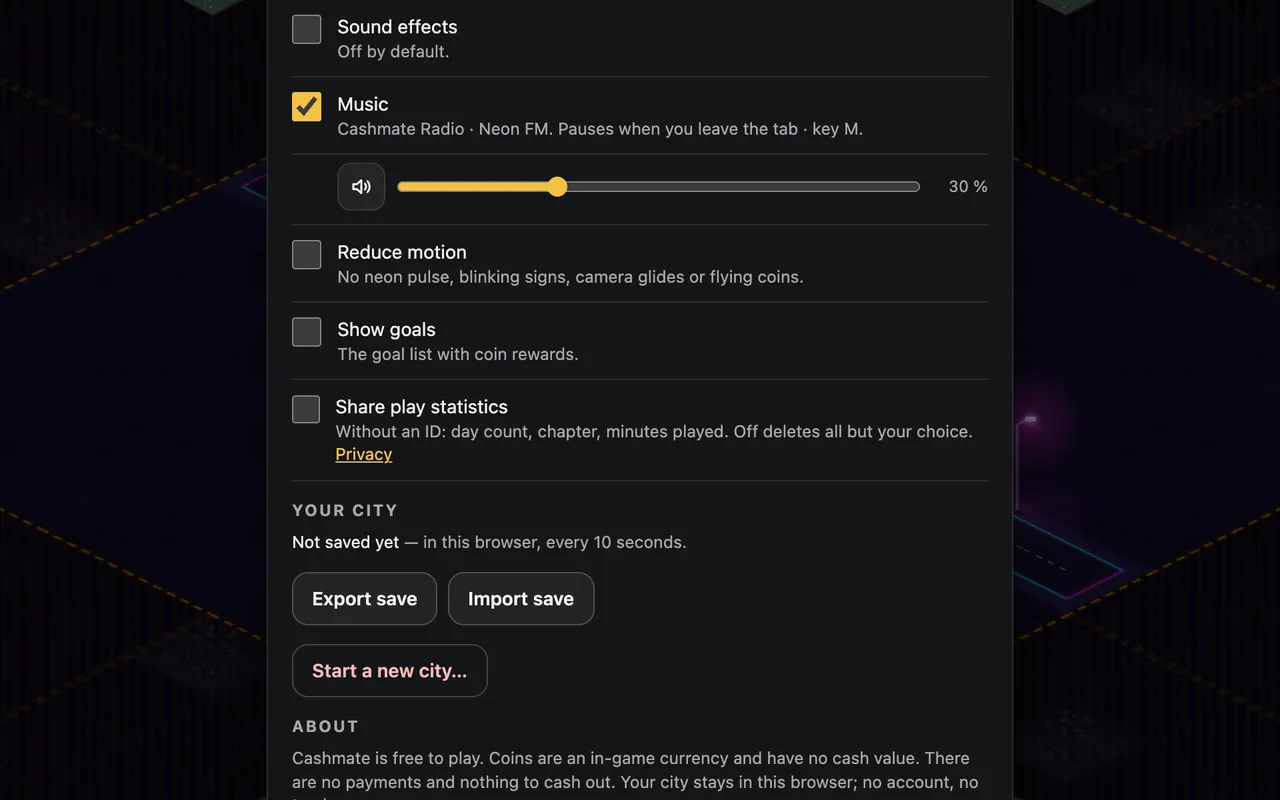
- Another browser or device has its own city. To move yours, use Export save in Settings, which downloads a small file, and Import save on the other device.
- Clearing site data deletes the city. So can some private windows and cleanup tools. Export a save now and then if your city matters to you.
- Imports are safe. Before replacing anything the game compares both cities and asks, and keeps the replaced one as a backup you can bring back with Restore backup.
Sound, motion and comfort
Cashmate has its own radio: 5 stations and 20 original chiptune songs, played by a synthesiser in your browser. It starts with your first click on Neon FM at 30 % volume; switch stations or turn it off from the radio button. Sound effects have their own switch in Settings and are off at first. Reduce motion in Settings stops the neon pulse, blinking signs, camera glides and flying coins.
Free, and nothing hidden
Free browser games are often paid for with ads or tracking. Cashmate has neither: no account, no ads, no trackers, and the game loads nothing from other websites. Play statistics without an ID are sent only if you say yes. Coins are for building. Coins are an in-game currency and have no cash value. Goal rewards are fixed amounts, never random, and nothing is for sale.
More guides
Every control, tool and setting: the Cashmate player guide.
-
City builder tips for beginners
Ten rules for your first city: roads, homes, shops, markets, happiness, upgrades and land.
-
City builder road layout: grids, blocks and frontage
Grid or parallel streets? Road spacing compared tile by tile, and how to fill a block.
-
How to price items in a tycoon game
Demand, the best price, stock and competition, worked through one real shop.
-
Idle games with offline progress: how to use it well
What keeps running while you are away, the cap, and what to do before a break.