How to play · Shops
How to price items in a tycoon game
Set a price too low and you give your goods away; set it too high and nobody buys. Most tycoon games hide a simple rule behind that trade-off. This guide explains it and works through one real shop, the Sushi Bar of Cashmate, a free city tycoon in your browser where every number below comes from the game's own code.
The short version: what you earn is price times what sells. When a shop can make more than its customers want, the best price is half its highest price. When customers want more than it can make, raise the price until it just sells out. Check again whenever the city changes.
Demand falls as the price rises
Nearly every tycoon game uses some version of a demand curve: the higher the price, the fewer customers buy. In Cashmate the curve is a straight line. At no price at all customers take as much as they want; at the shop's highest price they take nothing; halfway up they take half. The Sushi Bar's highest price is 8 coins, and across all shops the highest prices run from 8 to 24 coins. The slider never goes below 0.5 and moves in steps of 0.1.
How much customers want at a price depends on how many residents live within the shop's reach, how happy they are, how many other shops of the same market share them, and how appealing the shop is. We will come to each of those.
What you earn: price times what sells
A shop can only sell what it makes. So what sells is the smaller of two amounts: what the shop produces, and what customers want at your price. What you earn is your price times that.
That gives two cases. If the shop makes more than customers want, only demand matters, and price times a straight-line demand is highest exactly halfway: the best price is half the highest price. If customers want more than the shop can make even at half price, it sells out there, and you are leaving coins on the table. Raise the price until demand just equals what the shop makes: the shop still sells out, at a better price.
A worked example: the starting Sushi Bar
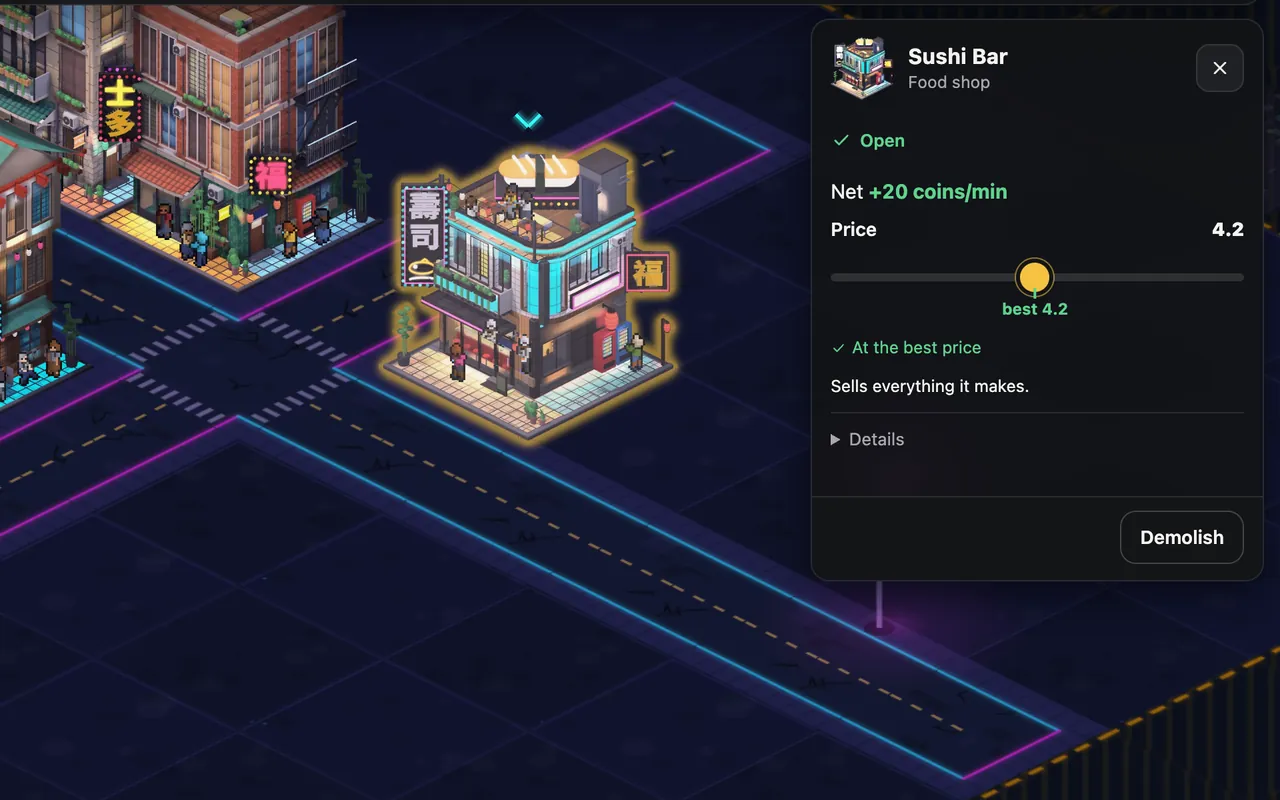
Every new Cashmate city starts with one Sushi Bar beside 30 residents. Once the new-city head start is over, the bar makes 6 portions a minute, and if sushi were free its customers would take 12.6. They want more than it can make, so half price is not the best price. The table shows what each price earns per minute:
| Price | Sold per minute | Coins per minute |
|---|---|---|
| 0.5 | 6 | 3 |
| 2 | 6 | 12 |
| 3 | 6 | 18 |
| 4 | 6 | 24 |
| 4.2 best price | 6 | 25.2 |
| 5 | 4.7 | 23.7 |
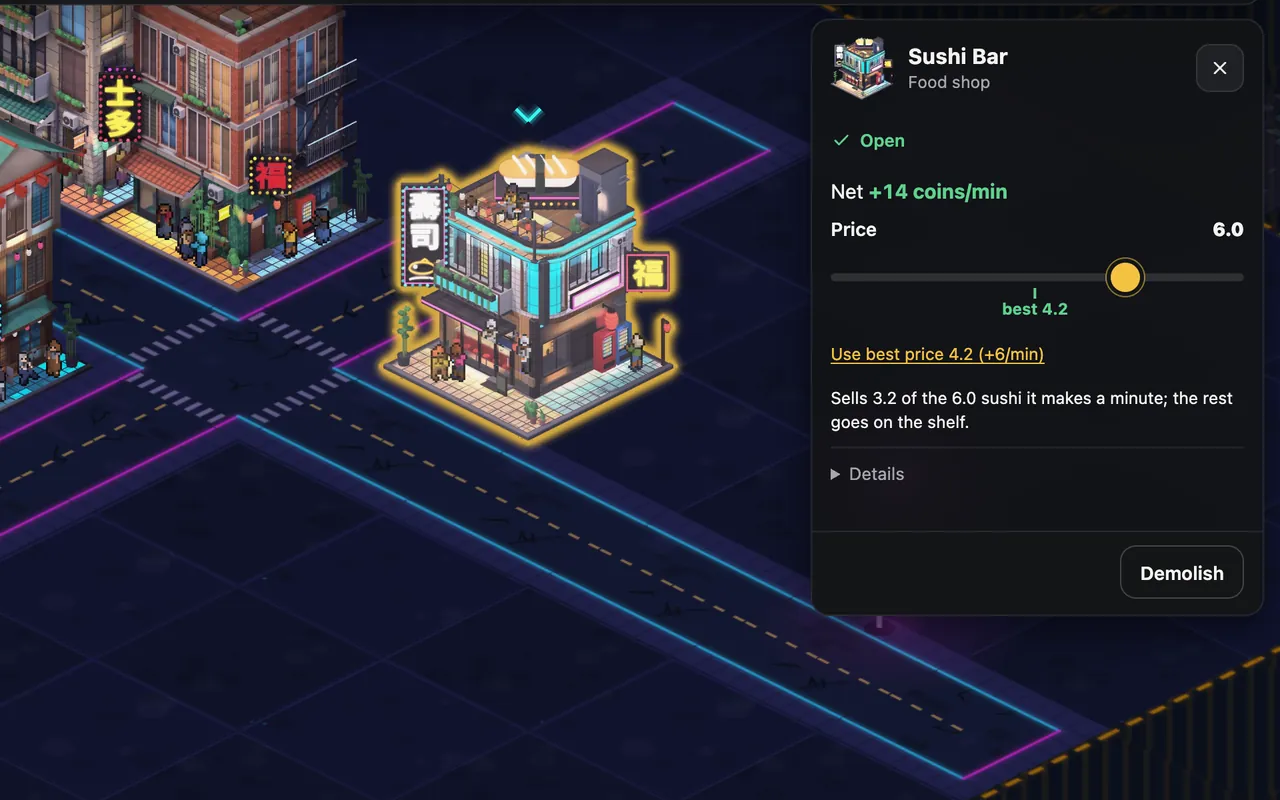
| 6 | 3.2 | 19 |
| 7 | 1.6 | 11.1 |
| 8 | 0 | 0 |
Up to 4.2 coins the bar sells all 6 portions, so every step up in price is pure gain. Above it, sales fall faster than the price rises. The best price, 4.2, earns 25.2 coins a minute; half price, 4, earns 24; a greedy 6 earns only 19. Upkeep comes off all of these: 4.8 coins a minute for the Sushi Bar, about 10 % of what it would take selling its full output at its highest price.
Let the game find the best price
You do not have to do this maths in Cashmate. A shop's panel shows its price on a slider with the best price marked, and a new shop opens at its best price. When the price is off, the panel offers Use best price, with how many more coins a minute it would bring. The skill is knowing when to look, because the best price moves while you build.
When the best price moves
- More homes in reach. More customers want more, so a shop that sells out can charge more. One more Apartment Block next to the starting city lifts the Sushi Bar's best price from 4.2 to 5.1.
- Happier homes. Happiness scales spending from ×0.5 to ×1.5. A second Fountain Park near the starting homes lifts the best price from 4.2 to 4.5.
- A competitor opens. Two shops of the same market share the homes they both reach. Build a second Sushi Bar across the crossing and each one's customers halve: each sells only 3.2 portions a minute and the best price drops to half, 4 coins, because neither can sell out any more.
- An upgrade. Upgraded shops make more and have more appeal, which wins them a bigger share of the market and more spending per customer: appeal grows 1 / 1.25 / 1.5 across the levels for most shops.
- The head start ends. A new city's shops make and sell ×3.5 their normal amount at first, fading out over 60 minutes of play. Output and demand grow by the same factor, so the best price stays where it is; what changes is how much sells. Income dropping at the end of the first hour is expected.
Read the shelf
Many tycoon games show stock, and it is the quickest diagnosis you have. A Cashmate shop puts what it makes on a shelf that holds about 3 min 20 s of output and sells from it every second. The panel's line tells you which way the shelf is going:
- The shelf fills up: the shop makes more than it sells. Your price may be above the best price, or the shop needs more homes in reach. Raising the price will not help.
- The shelf is empty or going down: it sells everything it makes. You may be able to raise the price (the best price is where it only just sells out), and more workers or an upgrade would sell more.
Prices while you are away
A city that runs while you are offline keeps your prices exactly as you left them. Leave the starting Sushi Bar at 6 coins for a full 8 hours and the city makes 2,989 coins less than at the best price. Check the slider before a break, as the offline progress guide explains.
A pricing checklist
- Price for what sells, not for the highest number on the slider.
- Shop sells out: raise the price until it only just does.
- Shelf full: lower the price to the best one, or bring more customers into reach.
- After new homes, parks, upgrades or a competitor: look at the slider again.
- Two shops of one market fighting over the same homes: move one, or open a different market (the beginner tips show why that pays more).
More guides
Every shop's highest price, reach and output: the Cashmate player guide.
-
City builder tips for beginners
Ten rules for your first city: roads, homes, shops, markets, happiness, upgrades and land.
-
City builder road layout: grids, blocks and frontage
Grid or parallel streets? Road spacing compared tile by tile, and how to fill a block.
-
Idle games with offline progress: how to use it well
What keeps running while you are away, the cap, and what to do before a break.
-
How to play a city builder in your browser
No download, no account: what you need, the controls, saving and your first minutes.